Word 2013 Screenshots
A plethora of tutorials to get you up to speed with Microsoft Word 2013
Screenshots In Word 2013
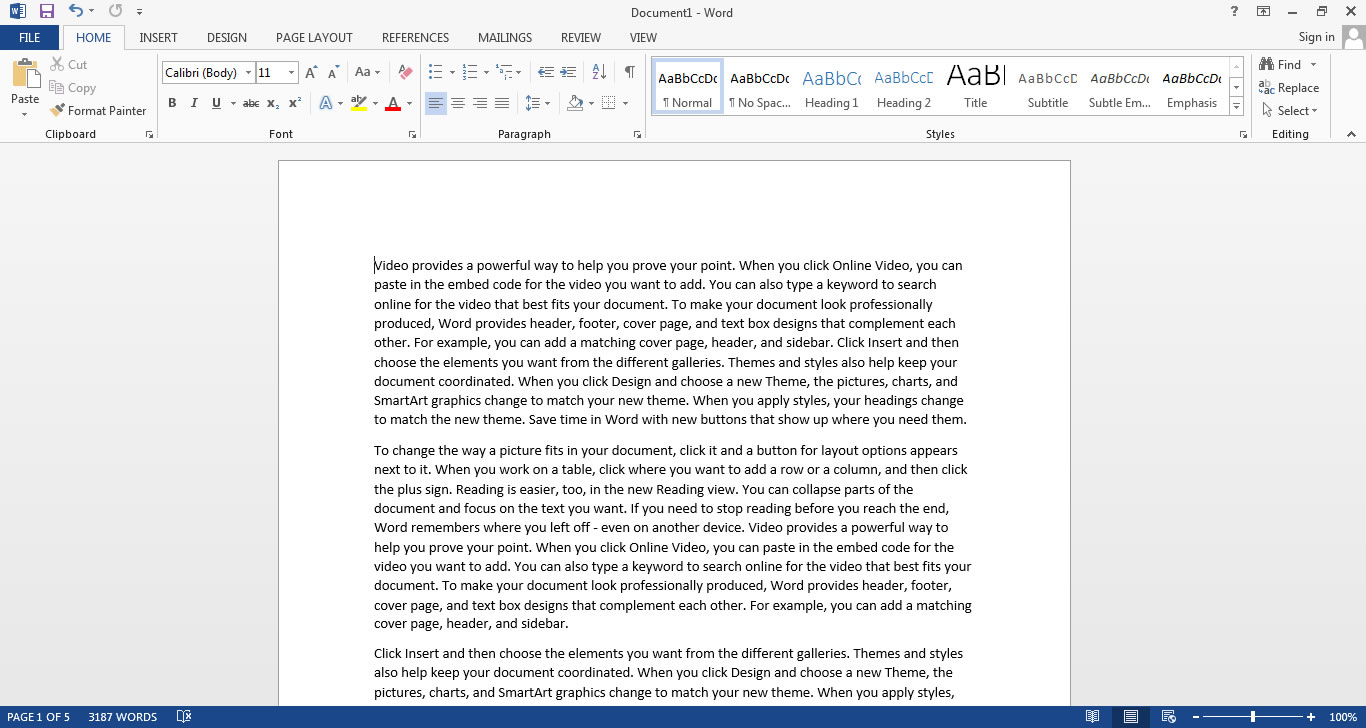
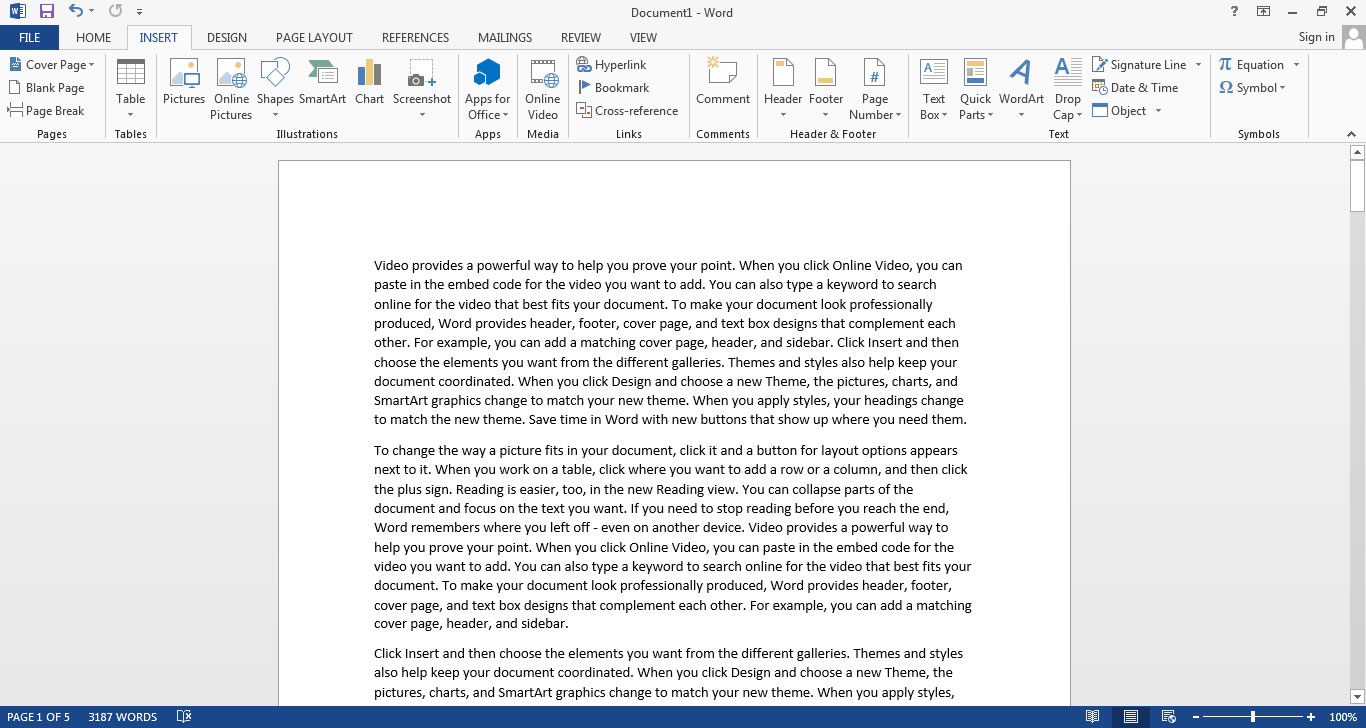
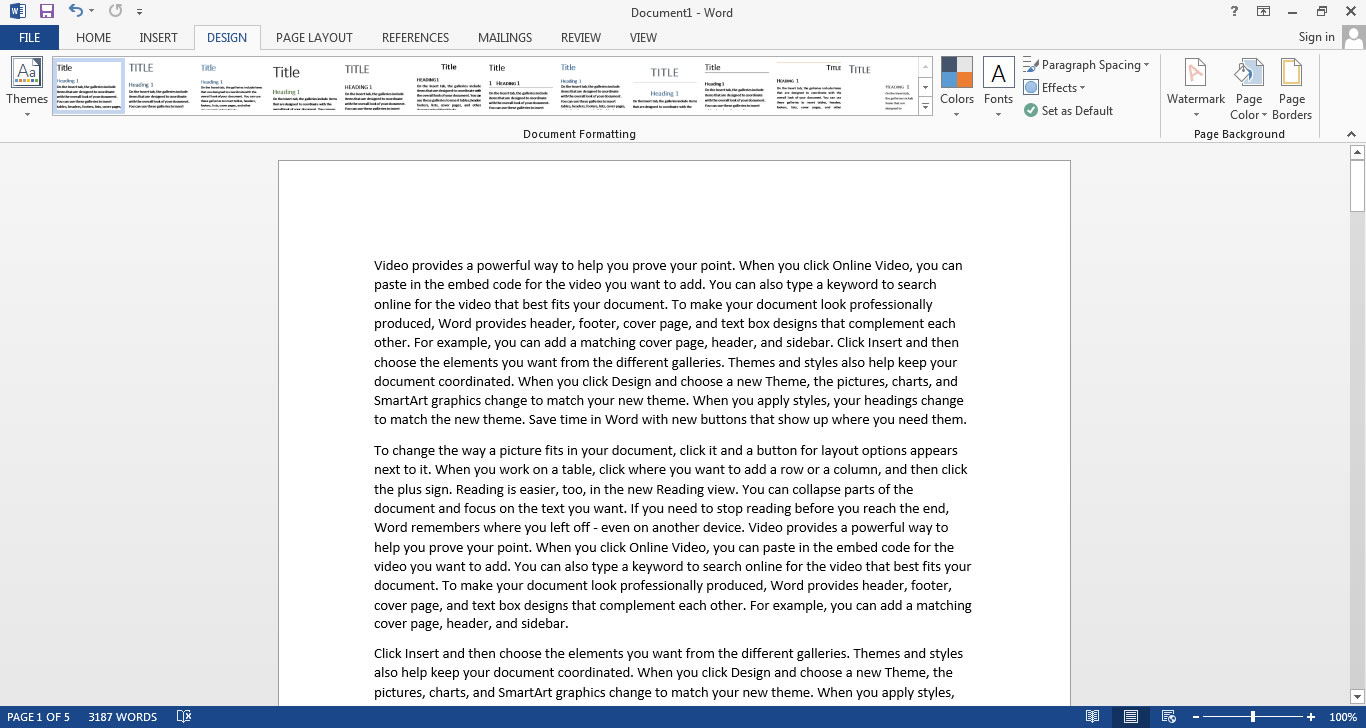
If a picture paints a thousand words, then why can’t I paint you? I just can’t – but what I can do is show you a screenshot of every tab that appears by default in the new (ok, not so new) ribbon in Word 2013. Our first impressions of Word 2013 were all well and good, but we thought a comprehensive collection of screenshots from each tab would stand you in better stead.
So here they are, labelled and everything:
Home Tab
Insert Tab
Design Tab
Page Layout Tab

References Tab

Mailings Tab

Review Tab

View Tab

Each of the images above is a smaller version of a full size one: click on it to display the big one! The main differences if you are coming from Word 2010? A flatter, more 2d like interface (a bit washed out?), capitals in the tab titles, options to sign in.